Fast tree browsing
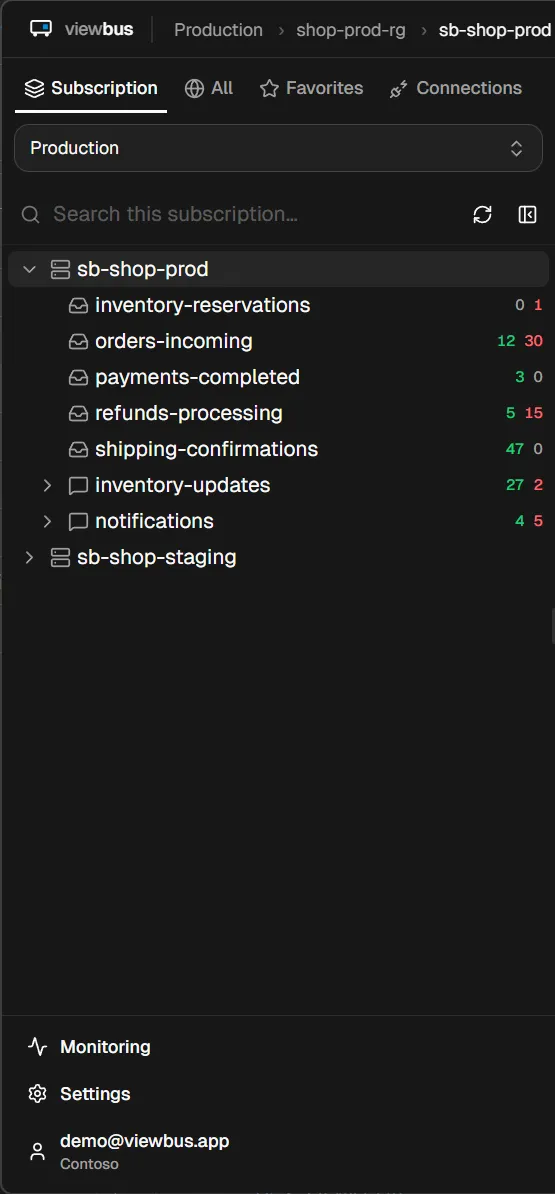
Subscriptions, namespaces, queues, topics — indexed locally in SQLite. Navigation is instant, even on enterprise tenants with thousands of resources.
Search, inspect, edit, and resend messages in seconds — with custom dead-letter alerts and MCP-powered debugging built in.
Free · v0.12.0 · no account, no telemetry
Desktop app · Windows & macOS · free, v0.12.0
Everything you'd want Service Bus Explorer to be, without the legacy baggage.
Subscriptions, namespaces, queues, topics — indexed locally in SQLite. Navigation is instant, even on enterprise tenants with thousands of resources.
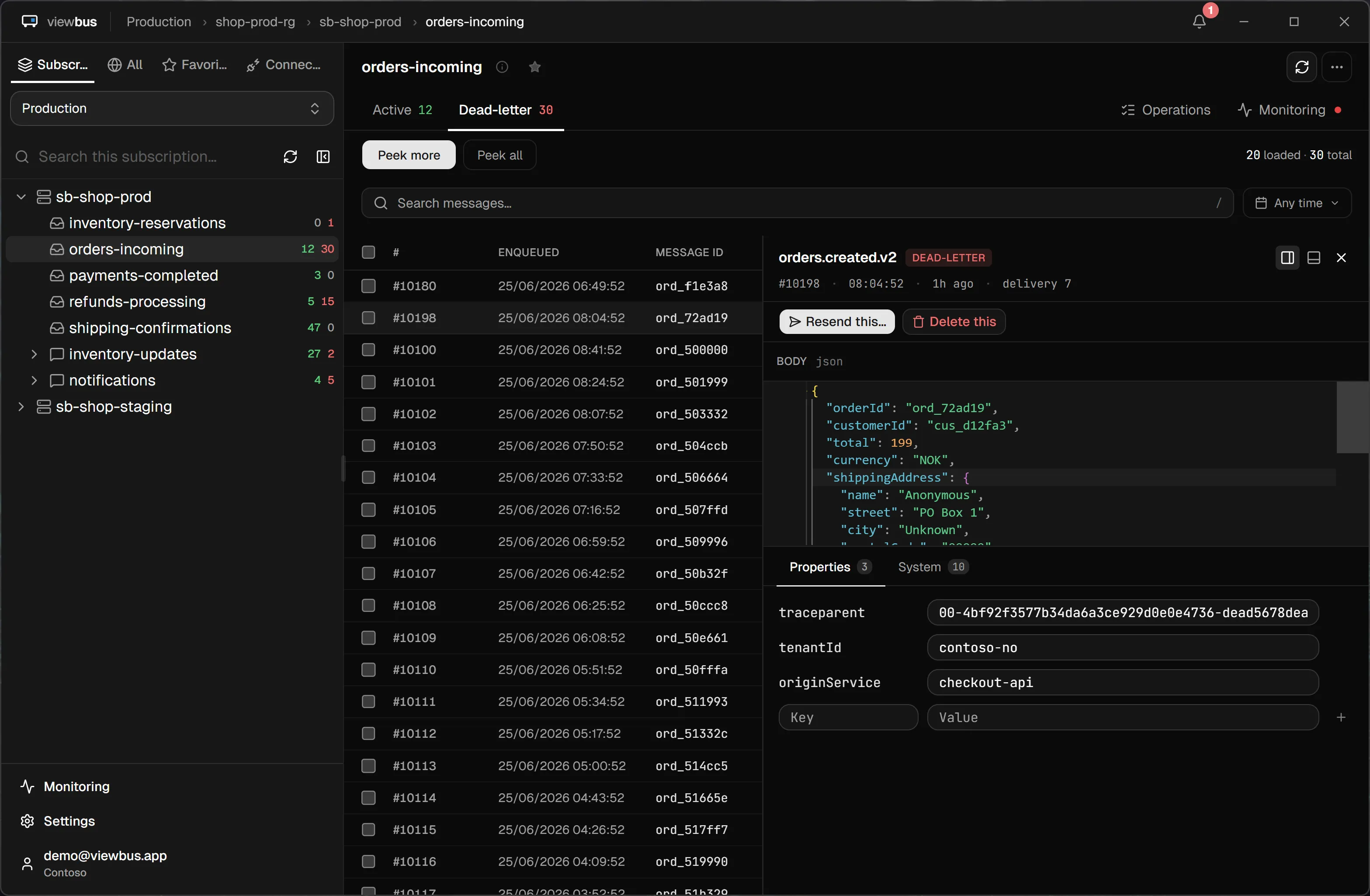
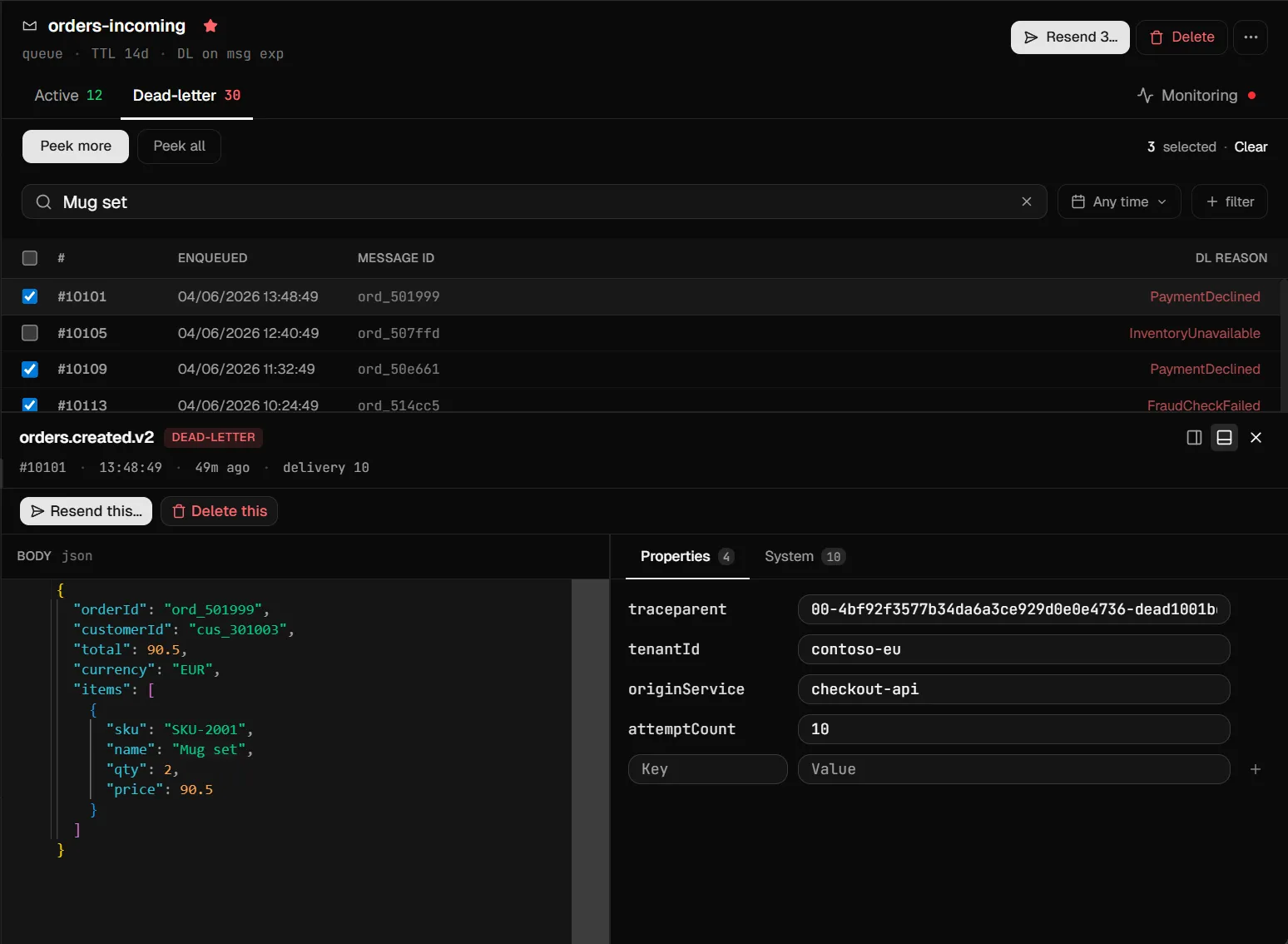
Peek active and dead-letter messages without dequeuing. Filter by session, ID, subject, or DL reason. Edit a body before resending, or compose new messages from scratch.
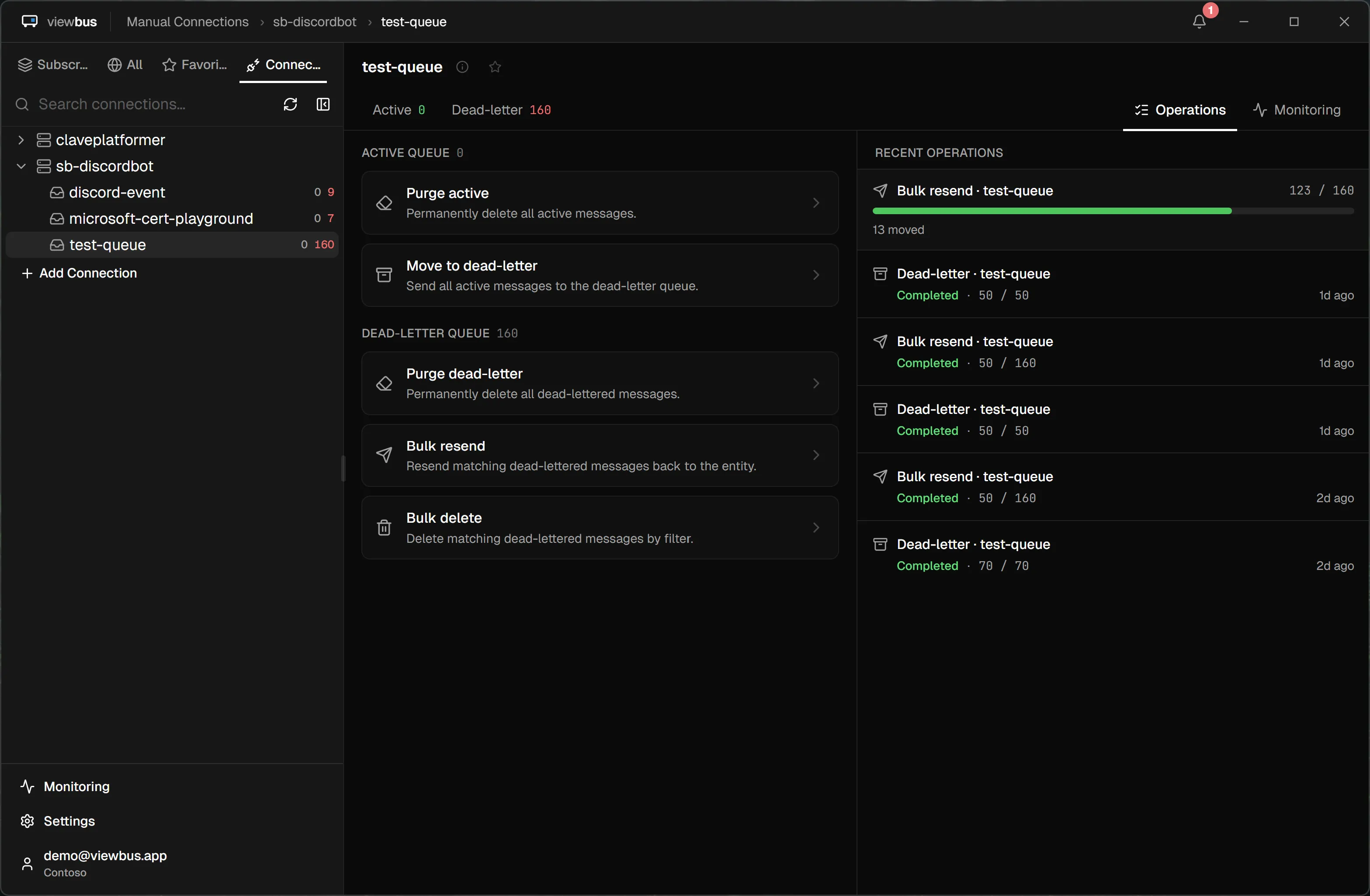
Purge, dead-letter, resend, or delete across a whole queue or DLQ from one place. Preview and filter the batch first, then watch each job run live — progress, an ETA, and a history of every operation that's run.
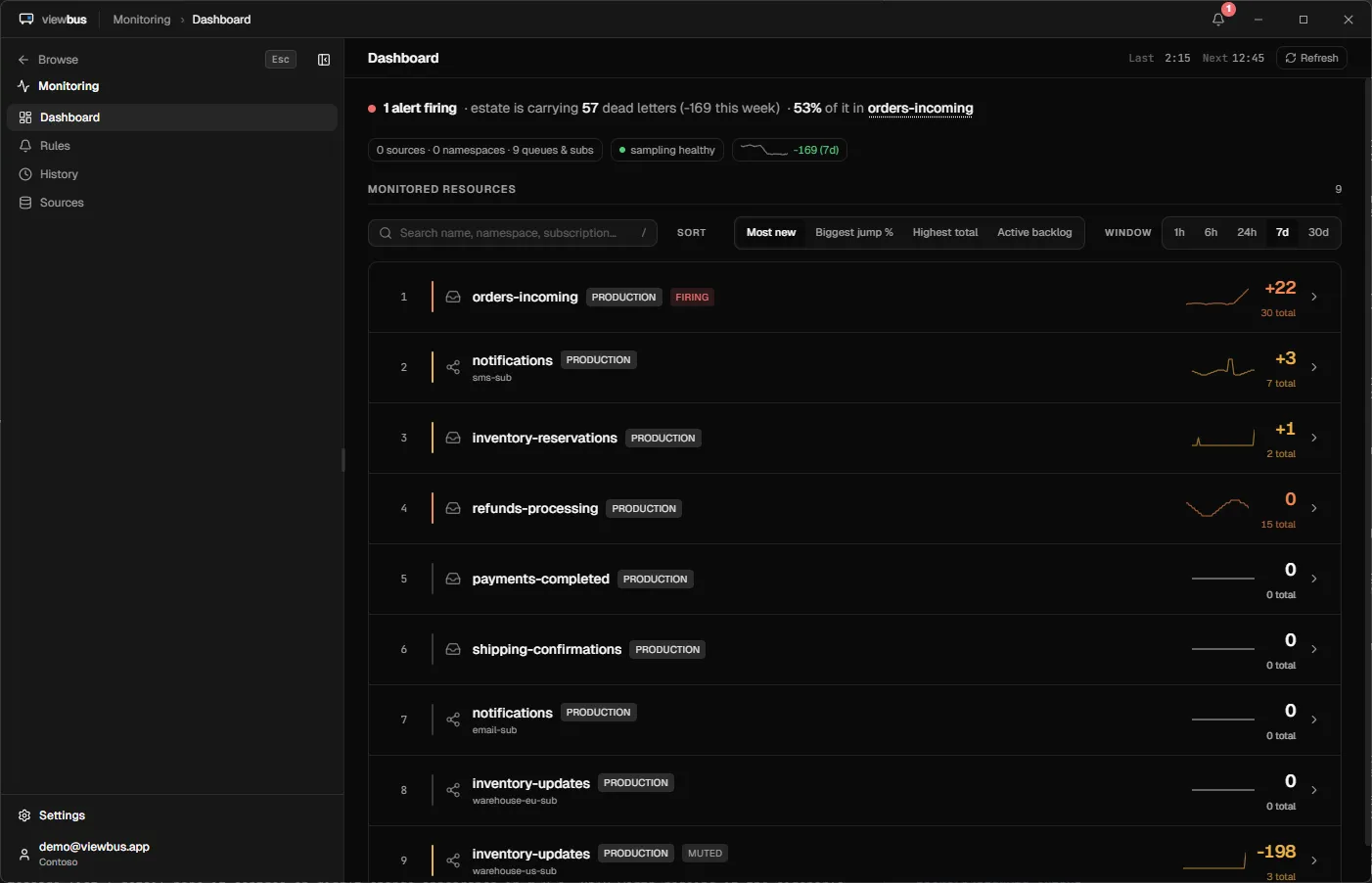
Pick exactly which queues, topics, and subscriptions to watch, and which ones should alert. Runs in the background at a low cost to your machine.
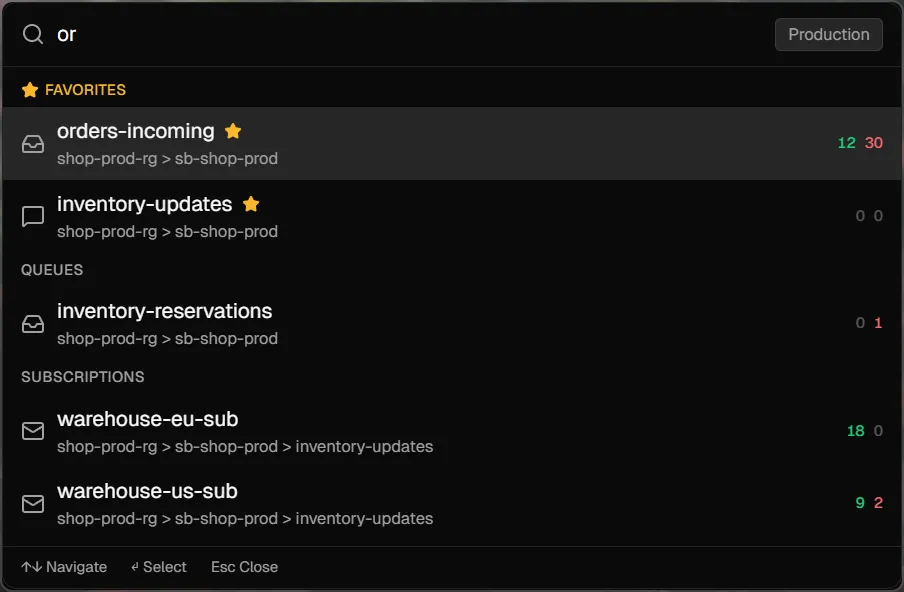
Ctrl+I opens a system-wide fuzzy search across every indexed resource. Stays active even with viewbus closed to the tray.
Ships a Model Context Protocol server so Claude, ChatGPT, or any MCP-aware AI can list namespaces, search resources, peek queues, and fetch full messages.
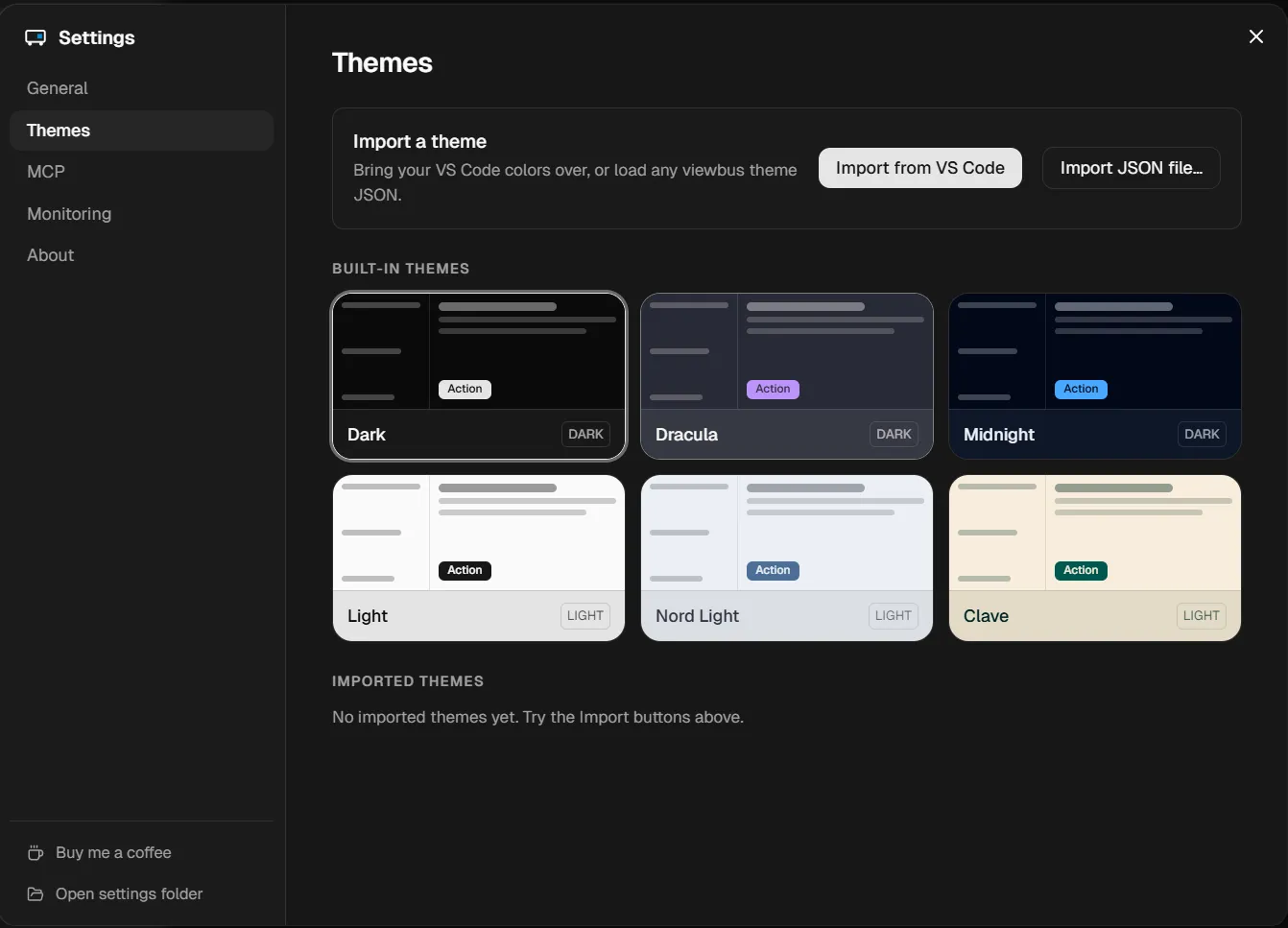
Six built-in dark and light themes — including a warm Clave theme. One-click importer pulls your active VS Code theme into viewbus.
The classic Service Bus Explorer is Windows-only; the Azure Portal can't search across resources or alert you. Here's where viewbus fits — and where the others still win.
Native app for Mac & Windows
Search message bodies across queues, topics & subscriptions
Edit & resend, with a side-by-side diff
Alerts when a queue or subscription crosses a threshold
AI assistant access (MCP server)
Relay, Event Hubs & Notification Hubs
Price
Why viewbus works this way → Coming from Service Bus Explorer? →
Free, and shipping often. A few things already in the works:
Syntax-highlighted XML, YAML, and protobuf bodies — not just JSON and plain text.
Point viewbus at the local Azure Service Bus emulator for development, right beside your real namespaces.
Browse and one-click-install community-made viewbus themes, share your own, and export your full setup to move between machines.
Open Source Viewbus It is difficult to trust an application that is being given trusted access to sensitive resources if…
a plugin that extends flow launcher with the same functionality as the built in spotlight already does
Open any request to upvote it on GitHub — the most-wanted ship first.
No backend, no telemetry, no account. When you sign in, it's to your own Azure — not to viewbus. Tokens and connection strings stay in your OS keychain, never on disk in plain text.
We can't see your namespaces or your messages, and we're not training any AI on what you do. Don't take our word for it — open the network inspector and see exactly where traffic goes.
Yes — viewbus is free for both Windows and macOS, with no account, no trial, and no paid tier. If it saves you time you can buy me a coffee, but nothing in the app is gated.
Yes. There's a native build for Apple Silicon, installable with brew install --cask haakofli/viewbus/viewbus. The original Service Bus Explorer is Windows-only.
Yes. Peek a dead-lettered message, edit its body and properties in a side-by-side diff editor, then resend it to the original entity — one at a time, or in bulk across a filtered batch.
No. There is no backend, no telemetry, and no account. Your machine talks directly to Microsoft: login.microsoftonline.com, management.azure.com, and your own *.servicebus.windows.net endpoints. The only requests to viewbus.app are two static JSON files the app reads at startup, one for updates and one for notices.
Yes. viewbus ships a Model Context Protocol server over local stdio with ten read-only tools, so an AI assistant can list namespaces, search resources, count messages, and peek bodies without any cloud round-trip.
No — signing in with your Azure account indexes every namespace you can see. Connection strings are still supported for namespaces outside your tenant, and they're stored in the OS keychain rather than on disk.
Something else? Get in touch →