Fast tree browsing
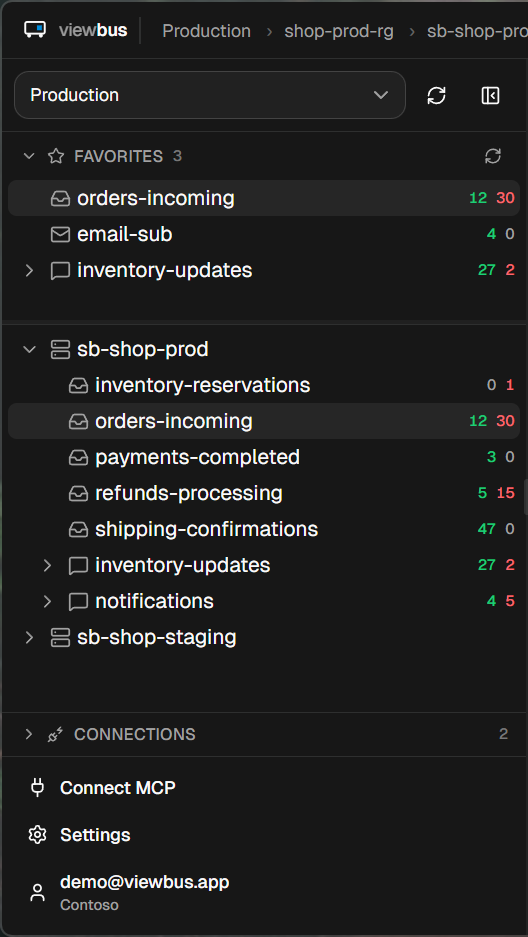
Subscriptions, namespaces, queues, topics — indexed locally in SQLite. Navigation is instant, even on enterprise tenants with thousands of resources.
Built in Rust. Stays on your machine. Ships an MCP server so AI assistants can peek queues for you.
v0.5.1
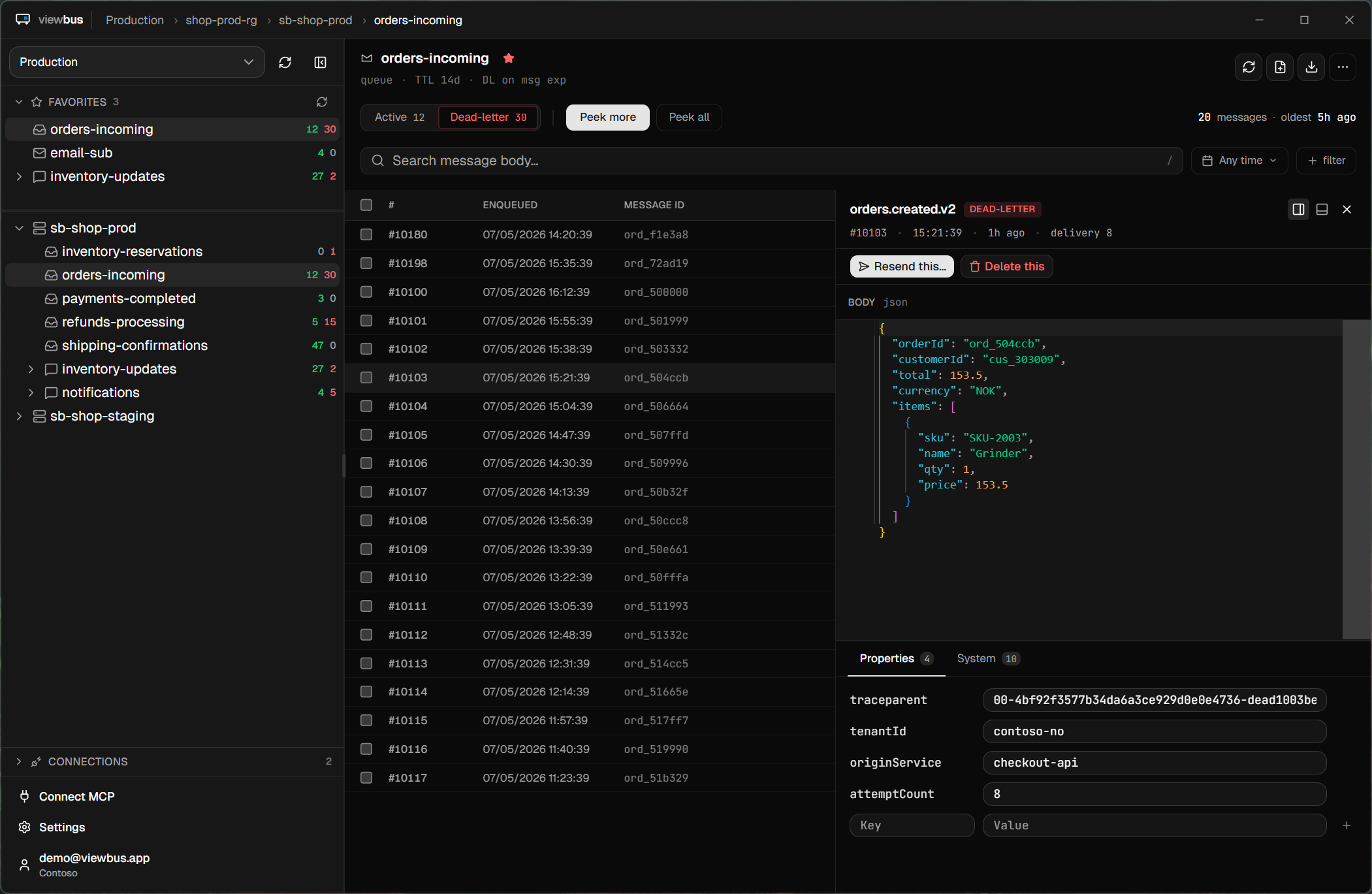
Everything you'd want Service Bus Explorer to be, without the legacy baggage.
Subscriptions, namespaces, queues, topics — indexed locally in SQLite. Navigation is instant, even on enterprise tenants with thousands of resources.
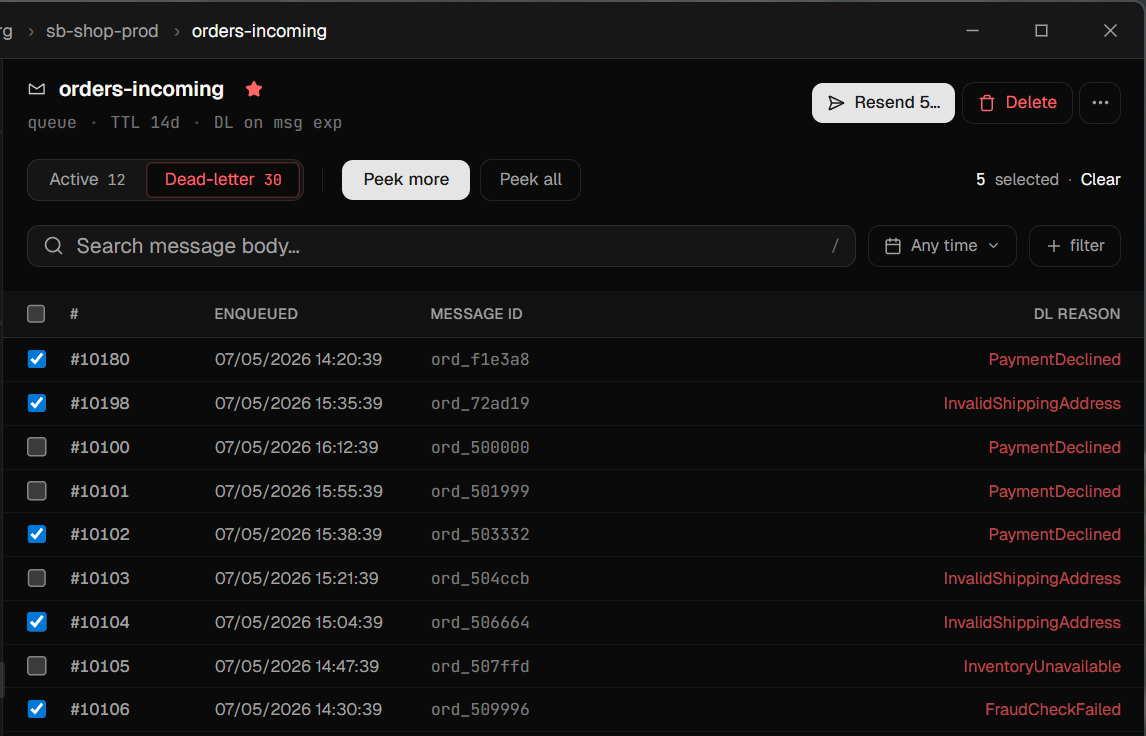
Peek active and dead-letter messages without dequeuing. Filter by session, ID, subject, or DL reason. Edit a body before resending, compose new messages, or drain a queue with a confirmed bulk action — purge, send-all-to-DL, or empty an entire DLQ.
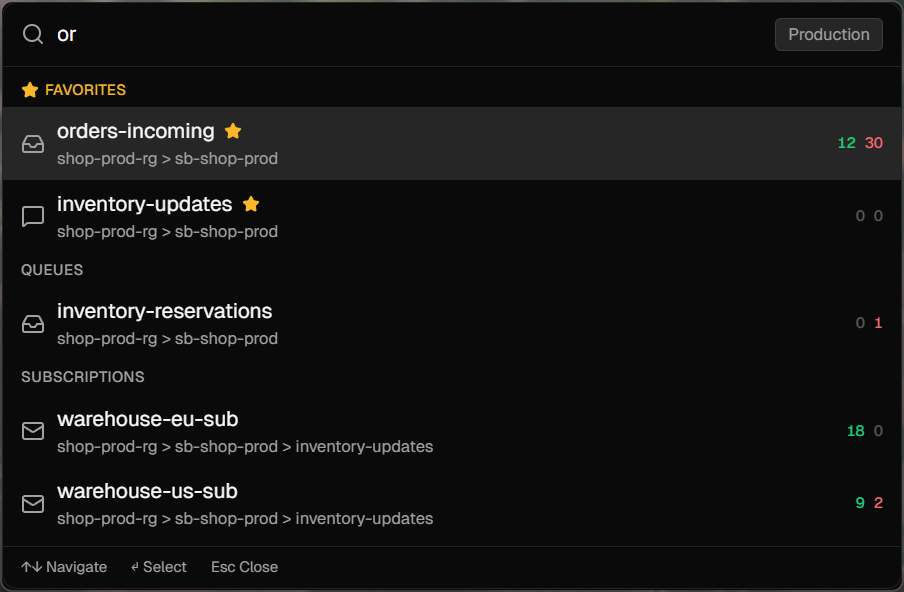
Ctrl+I opens a system-wide fuzzy search across every indexed resource. Stays active even with viewbus closed to the tray.
Ships a Model Context Protocol server so Claude, ChatGPT, or any MCP-aware AI can list namespaces, search resources, peek queues, and fetch full messages.
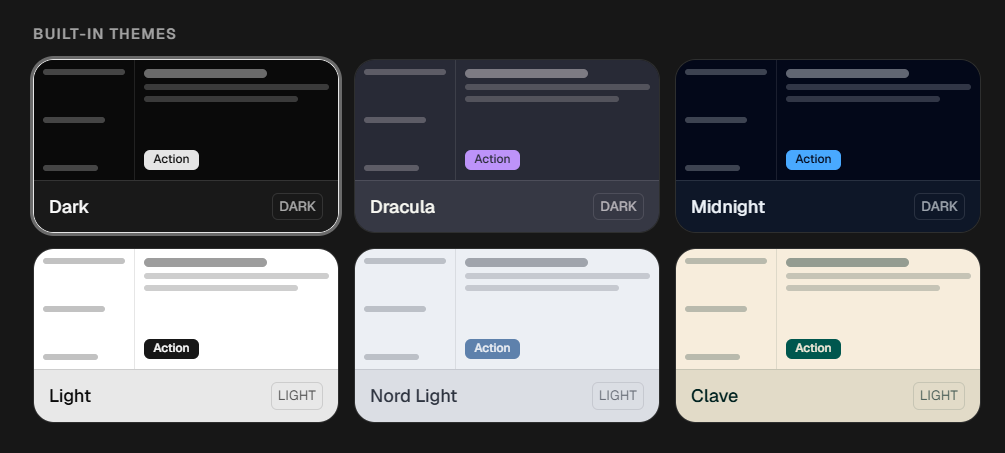
Six built-in dark and light themes — including a warm Clave theme. One-click importer pulls your active VS Code theme into viewbus.
viewbus has no backend servers, sends no telemetry, and has no account system. Your Azure credentials are used directly by your machine to talk to Azure. Connection strings live in the OS keychain — Windows Credential Manager on Windows, macOS Keychain on Mac — never on disk in plain text.
Read the full privacy promise →